
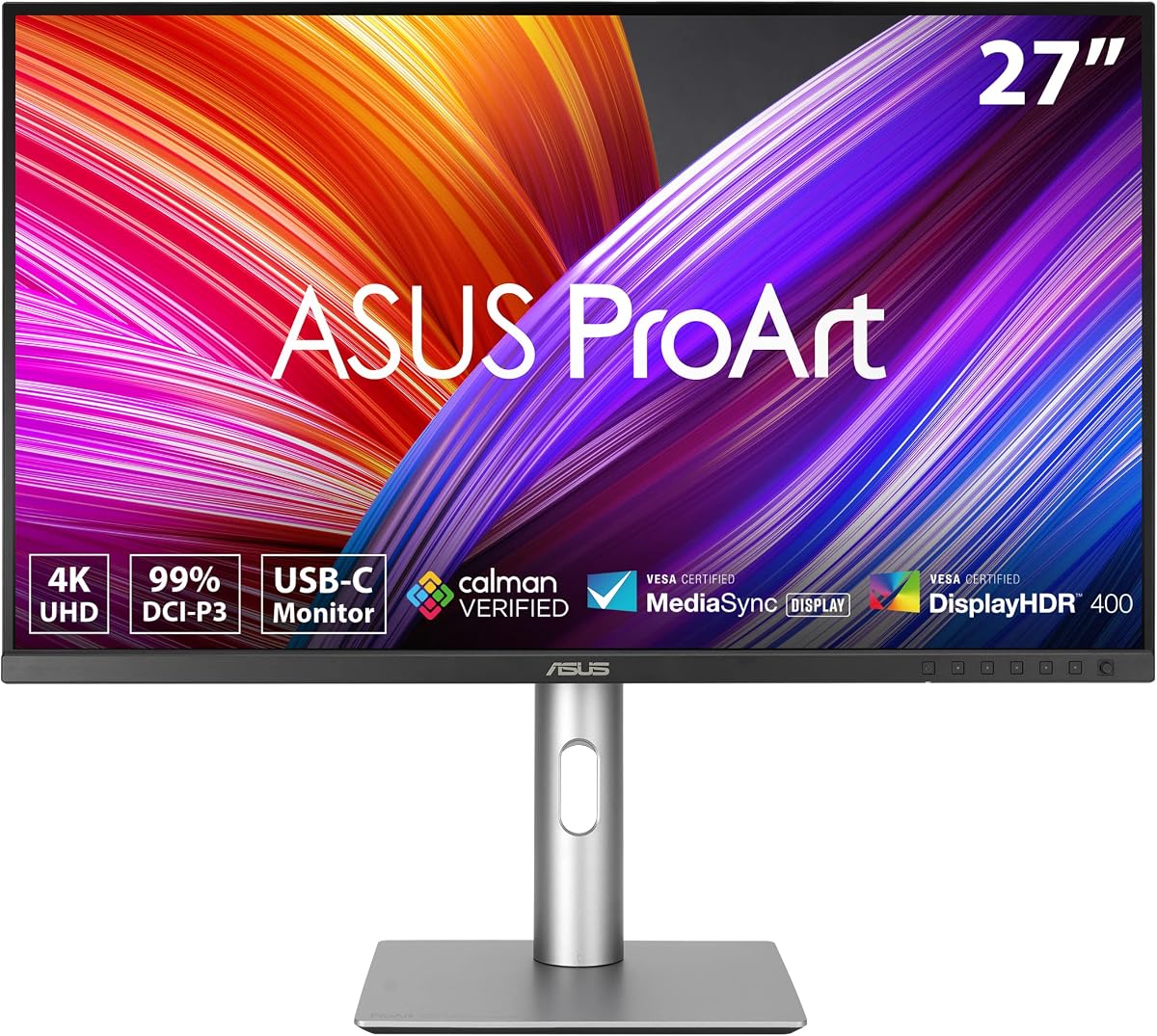
ASUS ProArt PA248QV
4.6Editor score
100% sRGB coverage
WUXGA 1920×1200 resolution
Calman Verified accuracy
This guide compares the top ASUS Proart monitors for professionals seeking color accuracy, high resolution, and versatile connectivity options for creative
Choosing the right display is critical for creative professionals who demand precision and reliability. ASUS Proart monitors are engineered to meet these high standards with factory calibration and wide color gamuts.
We analyzed ten leading models based on resolution, connectivity, color performance, and ergonomic design. Our comparison helps you find the perfect screen for video editing, graphic design, or photo retouching tasks.
Each pick highlights key strengths and ideal use cases to streamline your decision process. Please note that availability and pricing can fluctuate, so verify details before finalizing your purchase.
4.6Editor score
4.2Editor score
The following table provides a side-by-side look at the key specifications and features of each model to help you quickly identify the best fit for your specific workflow needs.


The ASUS ProArt PA279CRV stands out as a top contender for professionals needing high-resolution color accuracy. It receives a strong rating for its reliable performance in graphic design and photo editing workflows.
We may earn a commission when you buy through this link, at no additional cost to you.
This model features a 27-inch 4K panel with 99% DCI-P3 coverage ensuring vibrant and precise colors. The USB-C connection supports 96W power delivery allowing you to charge your laptop while transferring data efficiently.
While it lacks advanced HDR features found in premium models, the standard display performance remains excellent for SDR content. The factory calibration ensures Delta E under 2 making it ready to use right out of the box.
Ideal for creative professionals who want a balance of quality and value, this monitor delivers consistent results. Its daisy-chain capability further enhances productivity by allowing multiple displays on a single cable.
Factory calibration and Calman Verified status guarantee that what you see is what you print or publish.
The extensive port selection including USB-C HDMI and DisplayPort simplifies connecting various devices and peripherals.
We may earn a commission when you buy through this link, at no additional cost to you.
The ASUS ProArt PA248QV offers exceptional value for entry-level professionals who need accurate color reproduction without breaking the bank. It earns high praise for its consistent performance and reliable build quality.
We may earn a commission when you buy through this link, at no additional cost to you.
Featuring 100% sRGB coverage and a WUXGA resolution it provides sharp images and vivid colors suitable for web design and general creative tasks. The IPS panel ensures wide viewing angles which is crucial for collaborative work.
Though it lacks the higher resolution of larger models the 24-inch size is perfect for compact desks or secondary setups. The anti-glare technology reduces eye strain during long sessions making it comfortable for extended use.
This monitor is ideal for those on a budget who still demand professional-grade color fidelity. Its versatility and sturdy construction make it a dependable choice for students and freelancers starting their journey.
You get professional color accuracy and ergonomic features at a price point that is accessible to many.
Adjustable tilt and pivot along with anti-glare coating ensure a comfortable experience during long work hours.
We may earn a commission when you buy through this link, at no additional cost to you.
The ASUS ProArt PA32QCV is a powerhouse designed specifically for Mac users needing high-resolution displays. Its unique features cater to professional workflows requiring precise color matching with Apple devices.
We may earn a commission when you buy through this link, at no additional cost to you.
With a 6K resolution and Thunderbolt 4 connectivity it delivers stunning clarity and fast data transfer. The dedicated MacBook Color Match preset ensures seamless integration with MacBook displays for consistent editing across devices.
While the high resolution demands a capable graphics card the visual payoff is immense for detailed design work. The built-in Auto KVM switch simplifies managing multiple computers using a single set of peripherals.
This monitor is best suited for high-end creative studios or professionals working with large files. Its advanced features justify the investment for those who prioritize resolution and Mac ecosystem compatibility.
Tailored color presets and Thunderbolt connectivity make this a perfect companion for Mac users.
Auto KVM switching allows you to control multiple devices effortlessly without extra hardware.
We may earn a commission when you buy through this link, at no additional cost to you.
The ASUS ProArt PA278CV is an excellent choice for video editors and graphic designers needing QHD clarity. Its focus on industry-standard color spaces ensures your work looks correct across different platforms.
We may earn a commission when you buy through this link, at no additional cost to you.
The 100% Rec.709 coverage is essential for video production guaranteeing consistent color grading results. The USB-C port with 65W power delivery helps keep your desk clean by combining power and data in one cable.
A 90-degree pivot function allows you to switch to portrait mode easily which is great for coding or reading long documents. The included cables ensure you can set up quickly without needing extra accessories.
This monitor balances performance and practicality for daily professional tasks. Its reliable color performance and ergonomic features make it a strong option for multimedia creators and developers.
Rec.709 color space coverage ensures your video edits meet broadcast standards reliably.
The full adjustability including pivot supports various viewing angles to reduce neck strain.
We may earn a commission when you buy through this link, at no additional cost to you.
The ASUS ProArt PA279CV is highly rated for its commitment to eye health and consistent color performance. Users appreciate the comfort and accuracy it provides during long working sessions.
We may earn a commission when you buy through this link, at no additional cost to you.
Equipped with flicker-free and low blue light technologies it minimizes eye strain significantly. The factory calibration ensures Delta E under 2 providing trustworthy visuals for critical design decisions.
While it lacks advanced connectivity like Thunderbolt the USB hub adds convenience for connecting peripherals. The fully adjustable stand supports tilt swivel and pivot for optimal viewing ergonomics.
Ideal for anyone working extended hours at a screen this monitor prioritizes health and reliability. Its strong user satisfaction rating confirms it as a dependable workhorse for everyday tasks.
Advanced eye care features ensure you can work longer without discomfort or fatigue.
A built-in USB hub reduces cable clutter and keeps your workspace organized efficiently.
We may earn a commission when you buy through this link, at no additional cost to you.
The ASUS PA329CRV-P meets specific compliance standards making it ideal for government or enterprise procurement. It combines regulatory adherence with robust professional features for demanding environments.
We may earn a commission when you buy through this link, at no additional cost to you.
Featuring a 32-inch 4K display and 96W USB-C charging it supports high-end Macs and laptops effectively. The TAA compliant status simplifies purchasing processes for organizations with strict supply chain requirements.
Although HDR performance is standard the color accuracy remains excellent with Calman Verified calibration. The rich connectivity options including multiple displayports allow for versatile multi-monitor setups.
This model is a strategic choice for public sector organizations needing reliable and compliant hardware. Its large screen and professional specs ensure productivity without sacrificing quality or flexibility.
Trade Agreements Act compliance ensures this monitor meets specific government procurement needs.
Extensive ports and USB hubs facilitate seamless integration into complex workstation setups.
We may earn a commission when you buy through this link, at no additional cost to you.
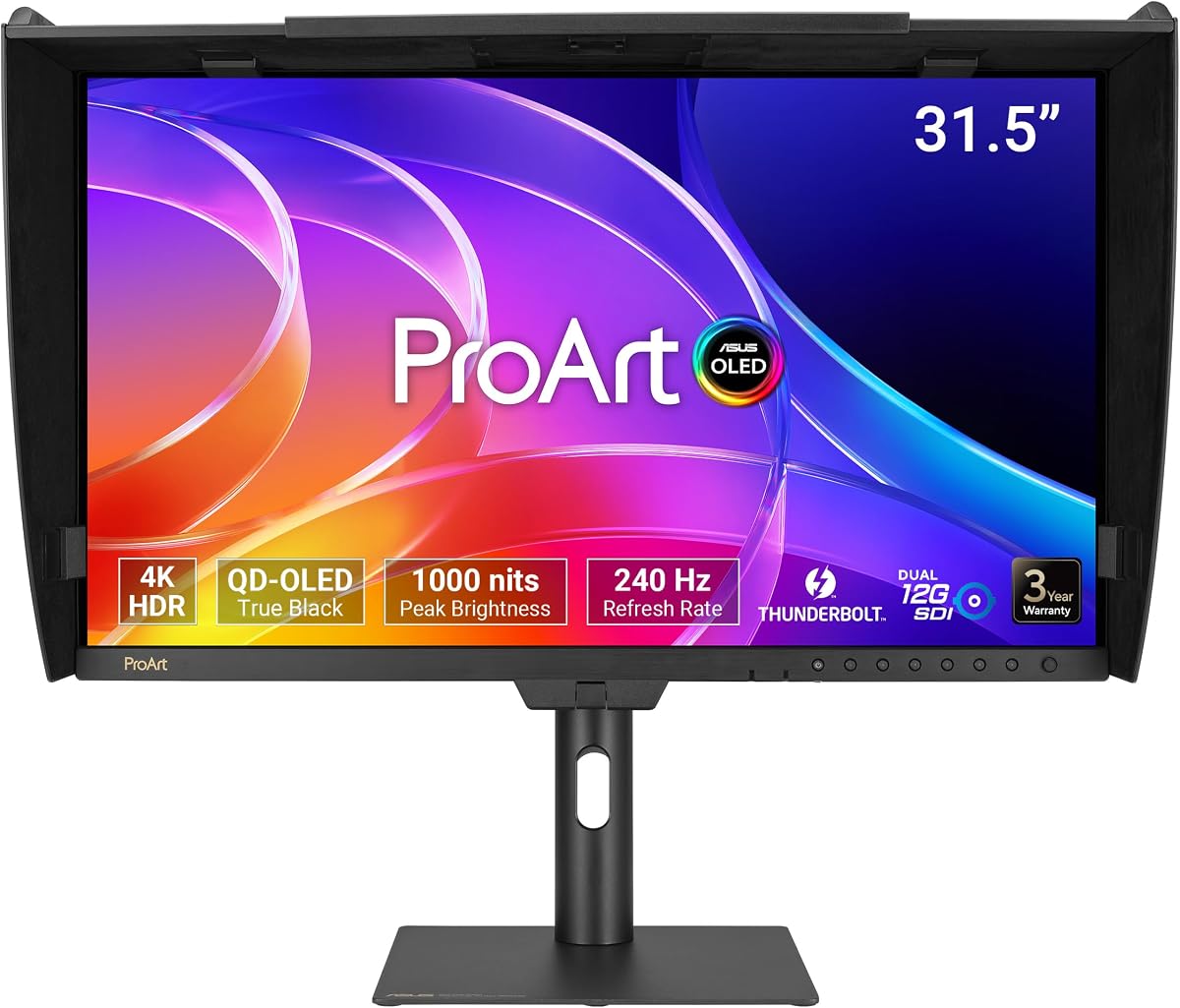
The ASUS ProArt PA32USD represents the pinnacle of monitor technology with its QD-OLED panel and professional features. It delivers unmatched contrast and speed suitable for high-end post-production and broadcasting.
We may earn a commission when you buy through this link, at no additional cost to you.
With 240Hz refresh rate and 0.1ms response time it handles motion beautifully. The hardware calibration ensures Delta E under 1 which is crucial for mastering content where color fidelity is paramount.
Professional SDI connectivity allows uncompressed playback making it valuable for broadcast engineers. The included monitor hood and accessories show attention to detail for critical viewing environments.
This monitor is a significant investment reserved for professionals needing the best available visual performance. Its advanced capabilities justify the cost for those working in high-stakes creative or technical fields.
Dual 12G-SDI inputs enable uncompressed 4K video playback essential for professional editing.
OLED technology delivers true blacks and vibrant colors that LCD panels cannot match.
We may earn a commission when you buy through this link, at no additional cost to you.
The ASUS ProArt PA32UCR-K offers a compelling HDR experience with its Mini-LED technology and included calibration tool. It aims to deliver professional quality without needing external calibration devices immediately.
We may earn a commission when you buy through this link, at no additional cost to you.
Quantum-dot technology and 1000 nits brightness ensure vivid and bright images suitable for HDR workflows. The inclusion of an X-rite i1 Calibrator adds significant value for those wanting precise color management out of the box.
While the hardware is powerful some users may need time to optimize settings for specific workflows. The wide color gamut coverage makes it versatile for digital art and video production tasks.
This monitor is ideal for users seeking HDR capabilities combined with color accuracy tools. Its features support professional standards though it requires some tuning to reach its full potential.
Built-in calibration support and included tools help maintain color accuracy over time effortlessly.
High peak brightness allows for detailed HDR content viewing even in well-lit environments.
We may earn a commission when you buy through this link, at no additional cost to you.
The ASUS ProArt PA278CGV blends creative color accuracy with high refresh rates suitable for hybrid work and casual gaming. It offers a versatile experience for users who need both productivity and performance.
We may earn a commission when you buy through this link, at no additional cost to you.
With 95% DCI-P3 and 100% sRGB coverage it handles design tasks well. The 144Hz refresh rate and FreeSync Premium ensure smooth visuals during presentations or light gaming sessions.
The USB-C port supports 90W power delivery enabling fast charging for high-performance laptops. This connectivity makes it a strong docking solution for mobile professionals working from different locations.
This monitor is perfect for creatives who also enjoy gaming or need fluid motion for video playback. Its hybrid approach offers flexibility without compromising on professional color standards.
High refresh rates provide smooth scrolling and video playback enhancing overall viewing comfort.
90W USB-C delivery ensures your laptop stays charged while connected to the dock.
We may earn a commission when you buy through this link, at no additional cost to you.
The ASUS ProArt PA32UCG-K delivers the brightest display in this range making it ideal for HDR mastering. Its high peak brightness ensures content looks correct even in varied lighting conditions.
We may earn a commission when you buy through this link, at no additional cost to you.
With 1600 nits peak brightness and advanced local dimming zones it offers deep contrast and vivid highlights. This monitor supports multiple HDR formats including Dolby Vision for comprehensive compatibility.
While the setup can be complex and the price high the visual fidelity is top-tier. The included calibrator supports precise adjustments needed for professional color grading workflows.
This model is best for professionals needing maximum brightness and HDR accuracy for high-end production. Its advanced panel technology sets a high standard for what a professional monitor can achieve.
1600 nits peak brightness allows accurate HDR viewing in bright environments without glare.
Quantum dot and local dimming technologies provide unparalleled color depth and clarity.
We may earn a commission when you buy through this link, at no additional cost to you.
Selecting the right ASUS Proart monitor involves understanding your specific workflow needs and technical requirements to ensure the best return on investment.
Higher resolutions like 4K and 6K offer more screen real estate and detail critical for editing high-resolution images. Larger screens like 32 inches provide more workspace but require more desk depth and higher graphics power.
Choose a resolution that matches your content creation needs while considering your available physical space.
Look for models with factory calibration and Delta E under 2 for reliable color consistency. Wide color gamuts like DCI-P3 and Adobe RGB ensure vibrant and accurate colors for professional design.
Prioritize monitors with Calman Verified certification to guarantee accurate colors for creative workflows.
USB-C with Power Delivery simplifies connecting laptops by combining data video and power into one cable. Multiple displayports allow for daisy-chaining additional monitors for expanded workspaces.
Ensure the monitor has the necessary ports for your specific devices and peripheral needs.
Standard monitors usually have 60Hz refresh rates but higher rates help with motion clarity during video playback or light gaming. Low response times reduce blur when switching between content or moving elements rapidly.
Opt for higher refresh rates if your workflow involves dynamic content or smooth motion requirements.
Adjustable stands with tilt swivel pivot and height adjustment help maintain comfortable viewing angles. These features reduce physical strain during long editing sessions and improve overall comfort.
Select a monitor with a fully adjustable stand to protect your health during extended use.
Some models include Thunderbolt support or KVM switches which streamline complex workstation setups. Advanced features like HDR support or OLED panels may be necessary for high-end visual tasks.
Consider specialized features only if they directly address specific needs in your production pipeline.
A longer warranty period indicates manufacturer confidence and provides peace of mind for expensive hardware. Look for models that include registration extensions to maximize protection coverage.
Always check warranty terms before purchasing to ensure reliable support if issues arise.
Professional monitors vary widely in price based on panel technology and feature sets. Determine which features are essential for your work versus those that are nice to have.
Balance your budget with the performance requirements to find the best overall value for your situation.
Set up your monitor by adjusting the stand to the proper height with the top of the screen at or slightly below eye level to reduce neck strain. Ensure adequate ventilation around the monitor to prevent overheating during long use.
Use the built-in calibration tools or external calibrators periodically to maintain accurate color performance. This ensures consistent output across different lighting conditions and prevents color drift over time.
Clean the screen regularly using a soft microfiber cloth to avoid scratches and dust buildup. Avoid using harsh chemicals or sprays that could damage the screen coating or internal components.
Yes many models feature USB-C connectivity and macOS color presets ensuring seamless integration. They provide high-resolution displays that match Apple standards for creative workflows effectively.
Several higher-end models include built-in hardware calibration allowing you to save settings directly to the monitor. This ensures your color profile remains accurate even when using different computers.
Higher refresh rates provide smoother motion for video editing and light gaming reducing blur and motion artifacts. This results in a more fluid and comfortable viewing experience overall.
Many models support daisy-chaining via DisplayPort allowing you to connect multiple screens using one cable. This reduces cable clutter and simplifies complex multi-monitor workstation setups significantly.
Yes the included subscription offers access to powerful creative tools for photo and video editing. It provides extra value especially for those starting new creative projects or expanding their skill set.
Regular calibration using built-in tools or external devices helps keep colors consistent throughout the monitor's life. Proper cleaning and avoiding direct sunlight also help preserve panel quality and accuracy.
We have explored ten top models offering diverse options for different professional needs and budgets. From the budget-friendly PA248QV to the premium PA32USD there is a choice for every creative workflow.
Prioritize features like resolution color accuracy and connectivity based on your specific work requirements. Ensuring your monitor matches your tasks will maximize your productivity and creative potential.
Always check the current availability and verify the latest model specifications before making your purchase. This helps you secure the best deal and ensure the monitor meets all your requirements.