
Frameo 10.1 Inch WiFi
4.7Editor score
10.1 inch IPS touch
32GB local storage
Simple family sharing
Modern digital frames now blend traditional photo display with artificial intelligence to create dynamic home art. These devices let you turn static images into moving memories or generate unique artwork on demand. Finding the right model depends on your need for battery life, screen type, and smart sharing features.
We evaluated ten leading products based on display technology, storage capacity, and ease of use. Each frame was assessed for its ability to connect with family, manage photos securely, and offer creative AI tools. Our list covers options from portable e-ink to large touchscreen displays.
Every pick includes key specifications, pros and cons, and usage tips for daily enjoyment. Prices and availability can change quickly, so check current listings before purchasing. This guide helps you invest in a frame that truly enhances your living space and preserves cherished moments.
4.7Editor score
3.8Editor score

5.0Editor score
As an Amazon Associate we earn from qualifying purchases.
This side-by-side comparison highlights the core specifications of each top-rated frame. Use it to quickly match display size, storage, and AI capabilities to your specific needs.


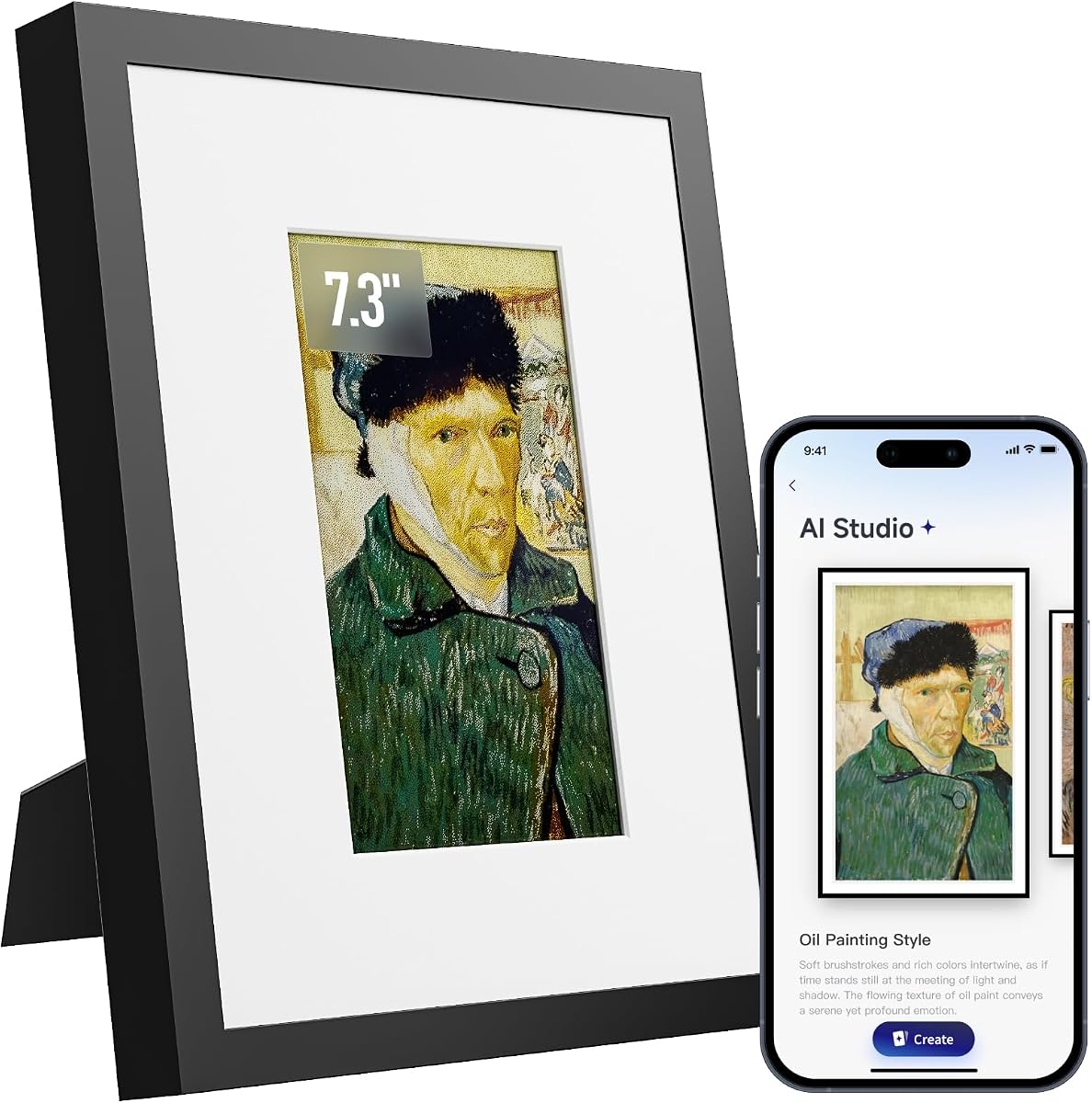
The SwitchBot AI Art Frame offers a unique wireless experience using electronic ink technology. Its low 3.8 rating suggests some user limitations, yet it stands out for true cordless use.
We may earn a commission when you buy through this link, at no additional cost to you.
Its standout feature is the ability to generate personalized art via prompts, transforming rooms into evolving galleries. The battery life is exceptional, lasting up to two years on a single charge with minimal refresh.
Trade-offs include lower resolution and muted colors compared to backlit screens. For best viewing, keep the frame at a normal distance. It suits users prioritizing aesthetics over vibrant display quality.
This frame is ideal for art lovers seeking a low-energy, clutter-free decor solution. It fits well on desks, walls, or bedside tables where subtle, paper-like art takes center stage.
Enjoy placement anywhere without cords. The 2000mAh battery ensures the frame stays active for years, making it perfect for wall mounts or hard-to-reach spaces.
Create custom artwork directly through the app. This feature allows dynamic updates based on mood or season, adding a creative touch to your home decor.
We may earn a commission when you buy through this link, at no additional cost to you.
KoKonna leads with a 5.0 rating, offering premium AI capabilities and rich color e-ink. It combines practical storage with creative tools for a high-end digital frame experience.
We may earn a commission when you buy through this link, at no additional cost to you.
Its ability to turn doodles or photos into AI-styled artwork sets it apart. The unlimited cloud storage ensures no space worries, while the battery lasts up to three years for cordless display.
While it excels, the display requires a closer view than LCD screens. The premium price reflects its advanced features, making it a top gift for tech-savvy art lovers.
Choose this for a polished, creative setup where memory sharing meets artistic generation. It delivers comfort for bedrooms and offices with its paper-like, glare-free viewing style.
Transform photos into artistic styles or convert drawings into finished pieces. The app provides intuitive prompts and voice commands for easy creative access.
Unlimited cloud storage removes file limits. Family members can share instantly via the app, keeping the frame updated without storage management.
We may earn a commission when you buy through this link, at no additional cost to you.
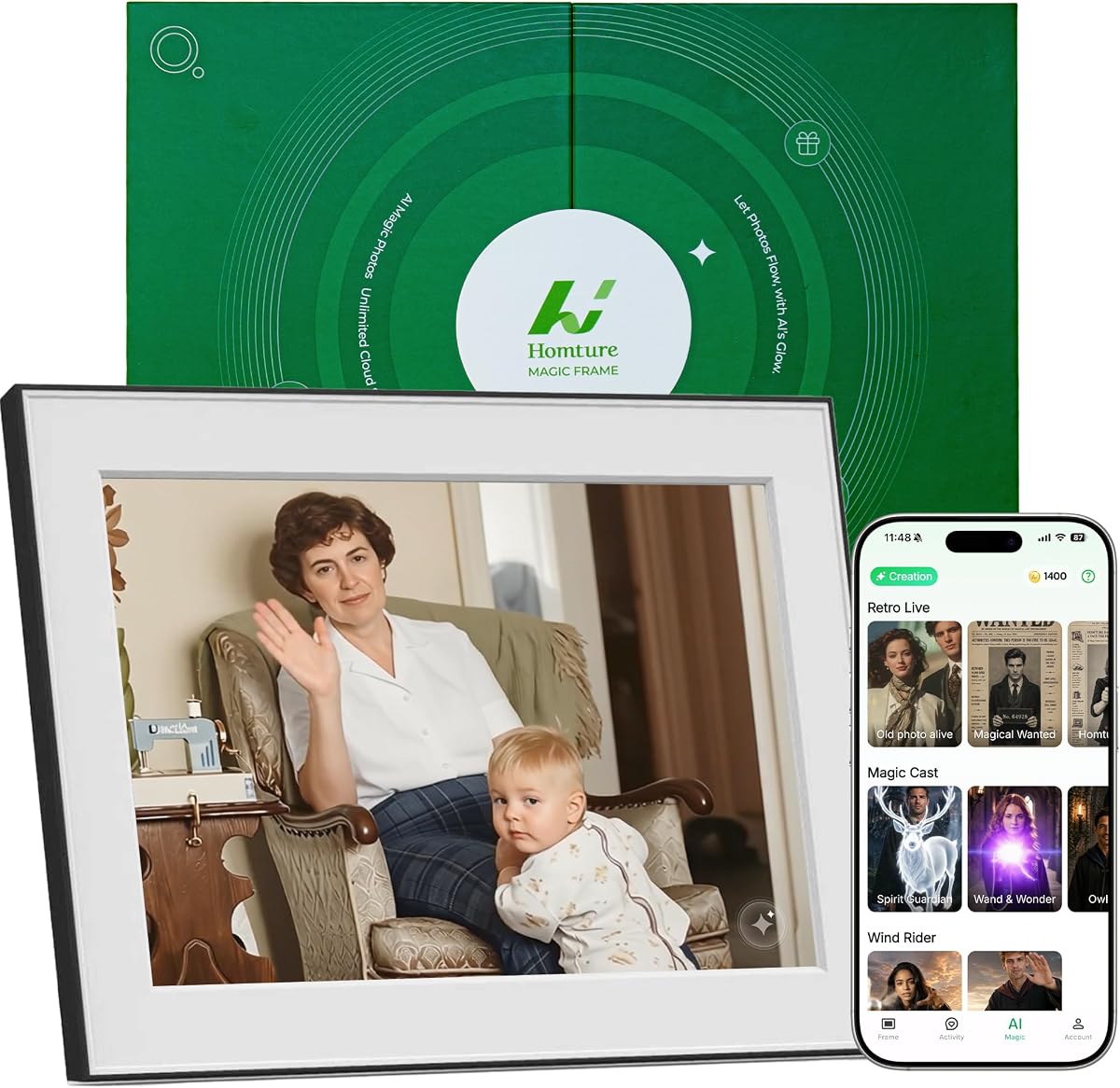
Magic Frame brings static photos to life with AI motion and video capabilities. Its 4.4 rating reflects strong user satisfaction for creating dynamic, moving memories.
We may earn a commission when you buy through this link, at no additional cost to you.
Colorize old photos and let people wave via AI motion. The included 2,000 credits allow up to twenty restored photos, enhancing the unboxing experience with immediate magic.
Trade-offs involve credit limits for extended AI use. The frame is best for families wanting animated tributes rather than just static photos. It offers a unique emotional connection.
Select this for meaningful gifts that surprise loved ones with lively memories. It fits well in living rooms where family stories come alive with every touch of the screen.
Restore old photos with color and movement. This feature adds life to faded memories, making them feel vivid and present again.
Share unlimited photos via the app. Family members can contribute instantly, ensuring the frame stays filled with fresh, shared content.
We may earn a commission when you buy through this link, at no additional cost to you.
Frameo is a trusted name, delivering a reliable 10.1-inch display for clear, shared memories. Its 4.7 rating shows consistent user trust in privacy and sharing tools.
We may earn a commission when you buy through this link, at no additional cost to you.
It focuses on simple sharing via the Frameo app, ensuring content stays private to invited contacts. The 32GB storage holds over 80,000 photos, making it a generous local option.
Trade-offs include short video limits via app upload. It lacks AI tools, making it a classic choice for pure photo enjoyment rather than creative editing.
Choose this for a dependable, easy-to-use frame for parents. It delivers clear visuals and secure sharing, perfect for daily updates from family members worldwide.
Only invited family and friends can share. This security ensures your memories remain private and safe from external access.
Hold over 80,000 photos locally. This storage avoids cloud dependency and ensures quick access to your favorite moments.
We may earn a commission when you buy through this link, at no additional cost to you.
This large Frameo model offers a stunning 15.6-inch display for detailed, immersive viewing. Its 4.5 rating supports its use as a central family hub for memories.
We may earn a commission when you buy through this link, at no additional cost to you.
The 64GB storage holds 100,000 photos, ideal for households with extensive archives. It also supports longer video uploads via SD cards, overcoming app limits.
Trade-offs include Wi-Fi restrictions to 2.4GHz and the large footprint. It is best for walls or wide desks where its screen size can be fully appreciated.
Select this for a powerful display that serves as a focal point. It brings clarity and depth to photos, making it perfect for shared family viewing sessions.
Store 100,000 photos locally. This capacity ensures you never delete a cherished memory due to lack of space.
Built-in speaker supports video with sound. Use SD cards for longer videos, bringing memories to life with audio.
We may earn a commission when you buy through this link, at no additional cost to you.
Pastigio brings a large 15.6-inch FHD display with versatile transfer options. Its 4.5 rating highlights its appeal for seniors needing non-WiFi access.
We may earn a commission when you buy through this link, at no additional cost to you.
The ability to upload via SD card or USB without Wi-Fi ensures ease of use for tech-unfamiliar users. It also supports instant emoji reactions for shared photos.
Trade-offs include short video limits via app and Windows USB compatibility. It remains strong for families wanting physical data sharing without network dependence.
Choose this for accessible sharing across devices. It delivers clear visuals and flexible data inputs, making it a practical option for diverse user groups.
Upload via SD card or USB without Wi-Fi. This removes complexity for seniors, allowing direct photo import via physical drives.
React with emojis to shared photos. This real-time interaction strengthens connections between family members sharing via the app.
We may earn a commission when you buy through this link, at no additional cost to you.
This compact frame uses e-paper for a paper-like, glare-free experience. While its rating is N/A, its design and optimization features aim for quality visual comfort.
We may earn a commission when you buy through this link, at no additional cost to you.
AI image tuning enhances color and contrast for both vintage and modern photos. The handmade wooden frame adds an elegant touch that fits various decor styles.
Trade-offs include no body buttons and reliance on app control. It is best for minimalist spaces where simplicity and aesthetic appeal matter most.
Select this for a small, stylish display for desks. It offers efficient power and subtle viewing, ideal for personal workspaces or bedside tables.
Automatically optimize color and contrast. This algorithm restores vintage and modern photos, ensuring they look their best on screen.
Ultra low power consumption saves energy. With weeks of battery life, it minimizes charging needs and reduces electrical usage.
We may earn a commission when you buy through this link, at no additional cost to you.
Magic AI Frame offers cinematic motion templates with strong 4.8-rated user satisfaction. It transforms still photos into magical, moving portraits for unique emotional impact.
We may earn a commission when you buy through this link, at no additional cost to you.
Four templates like Spellcasting and Living Oil Painting add surprise to everyday photos. The frame includes credits to experiment, with return policies ensuring confidence in results.
Trade-offs include credit-based advanced features. It suits families who value creativity and storytelling over static display. It delivers joy and connection through dynamic visuals.
Choose this for engaging, magical gifts. It turns memories into living stories, perfect for living rooms or family centers where shared experiences matter most.
Transform photos with cinematic styles. From moving posters to oil paintings, each template adds a layer of surprise and wonder to shared memories.
Flexible control over AI usage. If results miss expectations, eligible credits can be returned for reassurance in exploration.
We may earn a commission when you buy through this link, at no additional cost to you.
Anna Bella provides a senior-friendly interface with large fonts and clear touch controls. Its 4.5 rating supports its ease of use for elderly users.
We may earn a commission when you buy through this link, at no additional cost to you.
It offers 32GB storage for over 40,000 photos. The auto-brightness sensor ensures comfort day and night, while the app enables secure, private sharing.
Trade-offs include reliance on Wi-Fi and limited offline options. It is best for users needing simple access and safe family connections without technical complexity.
Select this for aging parents needing ease. It bridges distance with secure, shared memories in a package designed for straightforward, joyful operation.
Large fonts and simple interface. This design ensures everyone can navigate, view, and enjoy photos without frustration.
Control who views memories. This security keeps personal moments safe while ensuring loved ones stay connected and engaged.
We may earn a commission when you buy through this link, at no additional cost to you.
Homture delivers a smart sensor that wakes the frame when approached. Its 4.6 rating shows user appreciation for convenience and responsive AI features.
We may earn a commission when you buy through this link, at no additional cost to you.
The 64GB local storage combined with unlimited cloud space ensures no limits on memories. It also includes a bonus credit card for creating twenty AI videos.
Trade-offs involve full AI access requiring a subscription plan. It fits well in family areas where seamless interaction and motion-activated display add convenience.
Choose this for tech-forward family sharing. The motion sensor ensures photos greet you instantly, making memory viewing effortless and intuitive for all users.
Frame lights up when approached. This hands-free interaction makes viewing seamless, ensuring photos are always ready when you enter the room.
Includes starter credits for AI videos. Transform photos into dynamic memories out of the box with generous initial allowances.
We may earn a commission when you buy through this link, at no additional cost to you.
Choosing the right digital frame requires balancing display quality, storage, and smart features. This guide outlines key factors to consider before making your purchase.
Digital frames use either backlit LCD/IPS screens or e-ink displays. IPS screens offer vivid colors and high resolution for detailed photos. E-ink displays provide a paper-like, glare-free experience that saves power and mimics real art.
Choose IPS for bright, lively viewing. Choose e-ink for comfortable, low-energy display in ambient light.
Internal storage ranges from 32GB to 64GB. This affects how many photos can be stored without cloud reliance. Many frames also support SD cards for expansion.
Look for 32GB minimum for ample local storage. SD support adds flexibility for extra backups.
Most frames connect via Wi-Fi and use dedicated apps. These enable family sharing and remote photo uploads. Privacy features ensure only invited users can share.
Ensure the app is easy to use. Check if unlimited cloud storage is included to avoid future fees.
Battery-powered models offer cordless placement. Some last years on a single charge with low refresh rates. Others require constant power.
Select battery models for flexible placement. Check refresh rate claims for accurate lifespan expectations.
Many modern frames offer AI tools like photo restoration and motion generation. These add life to static images. Some require subscription credits for extended use.
Assess if AI tools fit your needs. Check credit costs and return policies before committing.
Frames come in sizes from 7 inches to 15 inches. Wooden or modern finishes suit different decor. Wall mounts and stands are often included.
Measure your space. Choose a size that fits without overpowering the room.
Touchscreens and simple interfaces matter for seniors. Large fonts and auto-rotation features improve usability. Voice control support adds convenience.
Prioritize intuitive controls if sharing with elders. Check compatibility with smart home devices.
Secure apps and GDPR compliance protect your photos. Look for frames with password protection and invited-only sharing to ensure safety.
Verify encryption and cloud policies. Choose brands with strong privacy commitments for family memories.
Start by connecting your frame to Wi-Fi and downloading the app. Pair the device using the provided code. Invite family members to share photos securely.
Set up your display preferences. Choose photo intervals, adjust brightness, and enable sleep mode to save power. Upload photos via app, SD, or USB.
Clean the screen with a soft cloth to avoid scratches. Avoid direct sunlight to prevent glare or overheating. Update the app regularly for new features and security.
Many frames offer unlimited cloud storage without subscriptions. However, advanced AI features like motion templates often require credits or plans. Always check the fine print before purchasing.
Yes, some models support SD cards or USB drives for photo transfer. This allows sharing even if family members do not use apps or smartphones.
Wireless e-ink frames can last up to three years with low refresh rates. LCD frames typically require constant power or recharge more frequently due to higher usage.
Many models include large fonts and simple touchscreens. Senior-friendly frames simplify navigation and sharing, making them ideal for older adults needing ease of use.
Most support short videos via app or longer ones via SD cards. Check limits; some apps restrict videos to 15 seconds without physical media.
Several brands offer unlimited cloud storage with their frames. This ensures no file limits. Verify if unlimited access is free or requires a subscription.
Use frames with password protection and GDPR-compliant cloud services. Ensure only invited members can share to keep memories private and secure.
A 15.6-inch frame works well as a focal point on walls. Smaller sizes like 10 inches suit desks or shelves. Consider wall mounting for optimal viewing.
Our top picks highlight the balance between AI creativity and practical memory sharing. SwitchBot and KoKonna lead for wireless AI, while Frameo delivers reliable family connections.
Prioritize display quality and sharing features based on your needs. E-ink offers calm viewing, while IPS delivers vivid color for rich photo albums.
Check current listings for the latest prices and availability. Investing in the right frame ensures your cherished moments stay vibrant and connected for years.