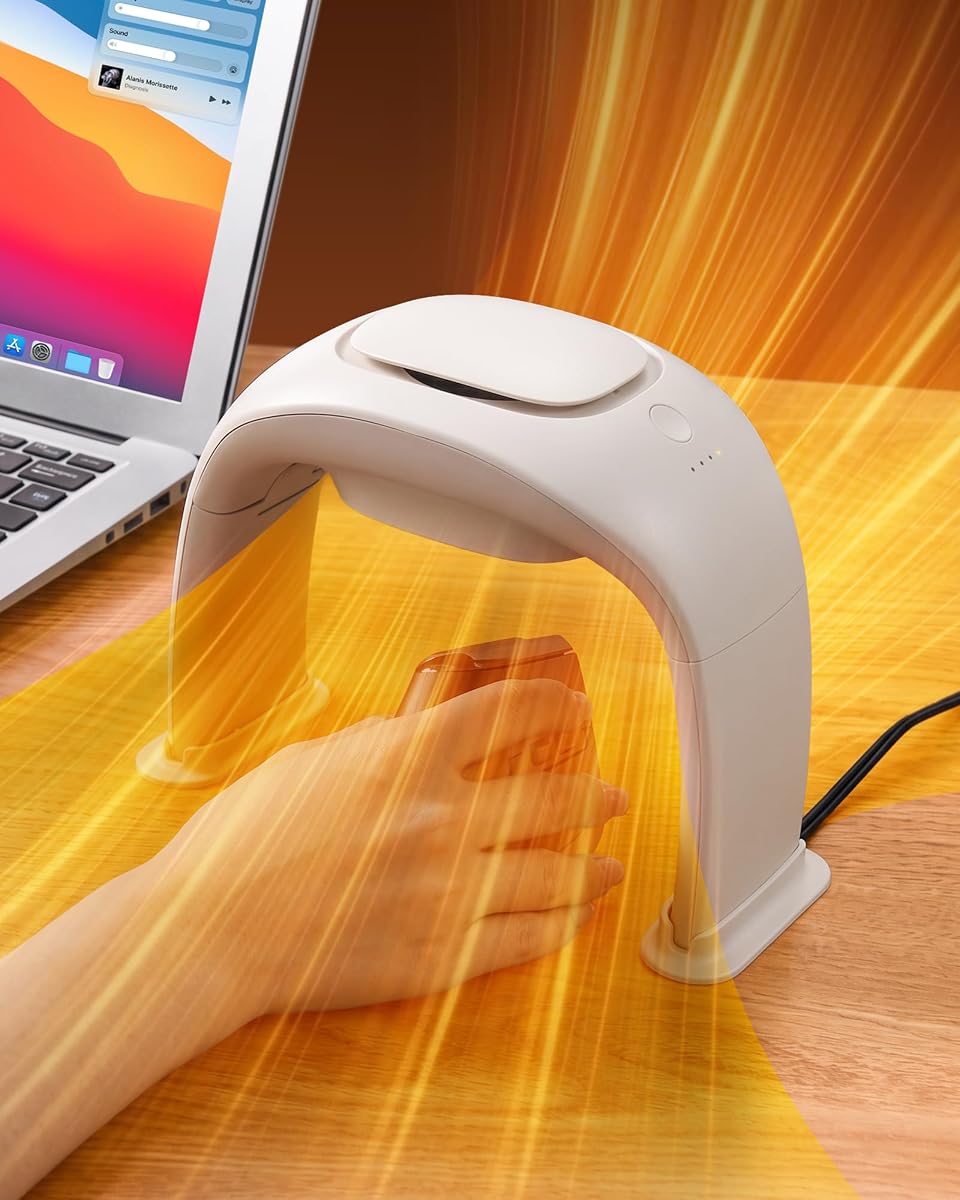
Desk Hand Warmer Over Mouse
4.5Editor score
Super quiet operation
Ceramic heating element
Free mouse operation
This guide compares the top 10 hand warmer mouse pads for 2026, evaluating heating speed, safety features, and ergonomic design to help you find the perfect
Cold hands can significantly hinder your productivity and comfort during long work or gaming sessions. A hand warmer mouse pad provides targeted heat to keep your fingers and wrists cozy without taking up excessive desk space.
We evaluated ten leading models based on heating technology, safety certifications, ease of use, and overall build quality. Our analysis focuses on devices that deliver consistent warmth while maintaining a safe operating environment for daily use.
Each pick highlights specific strengths such as temperature control, portability, or dual functionality as a desk mat. Please note that availability and pricing may vary, so verify current details before making your final purchase decision.
4.5Editor score

4.2Editor score

4.5Editor score
The following table provides a side-by-side comparison of all ten models analyzed in this guide. It highlights key specifications and unique features to help you quickly identify the model that best fits your specific workspace needs and heating preferences.


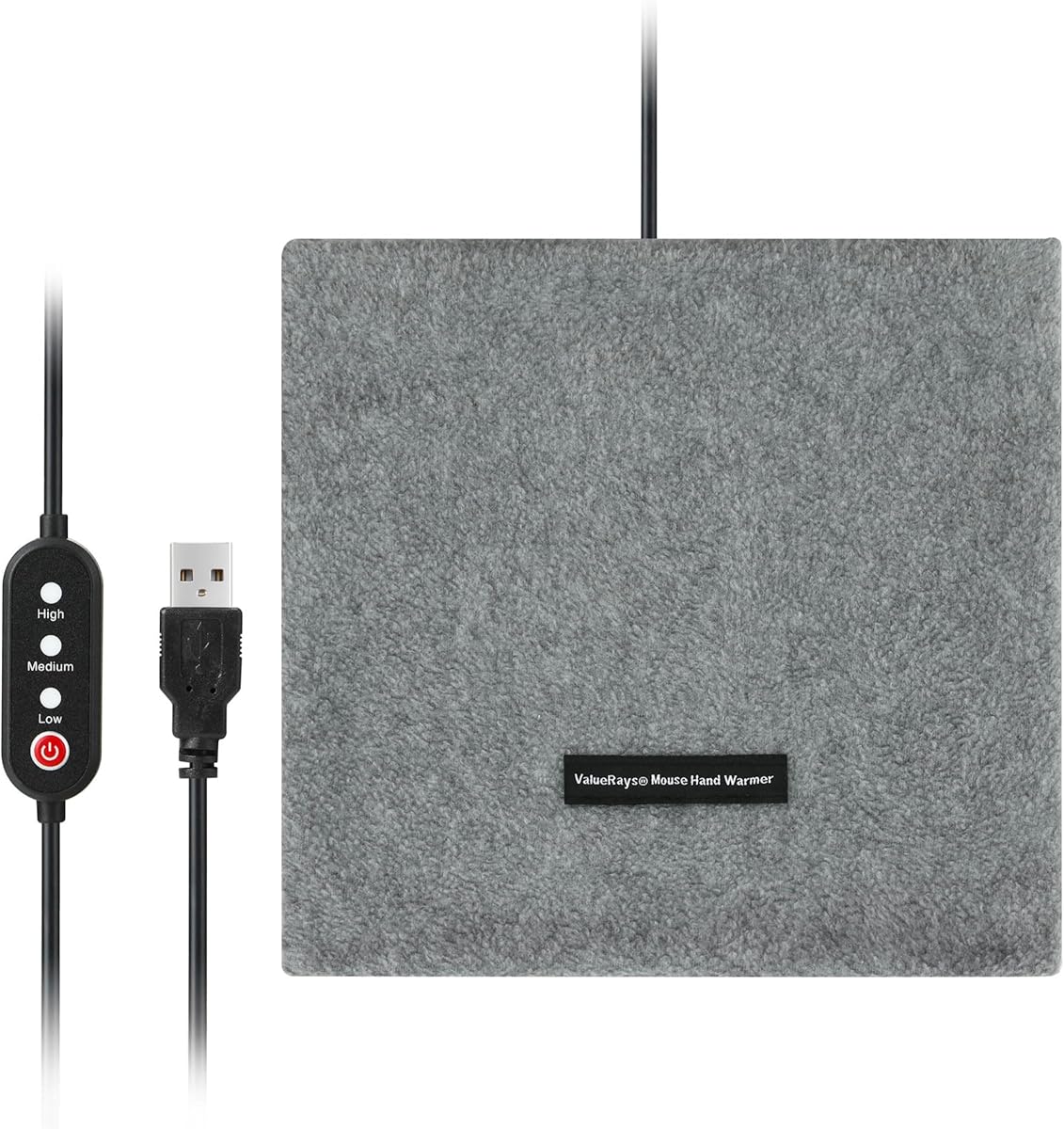
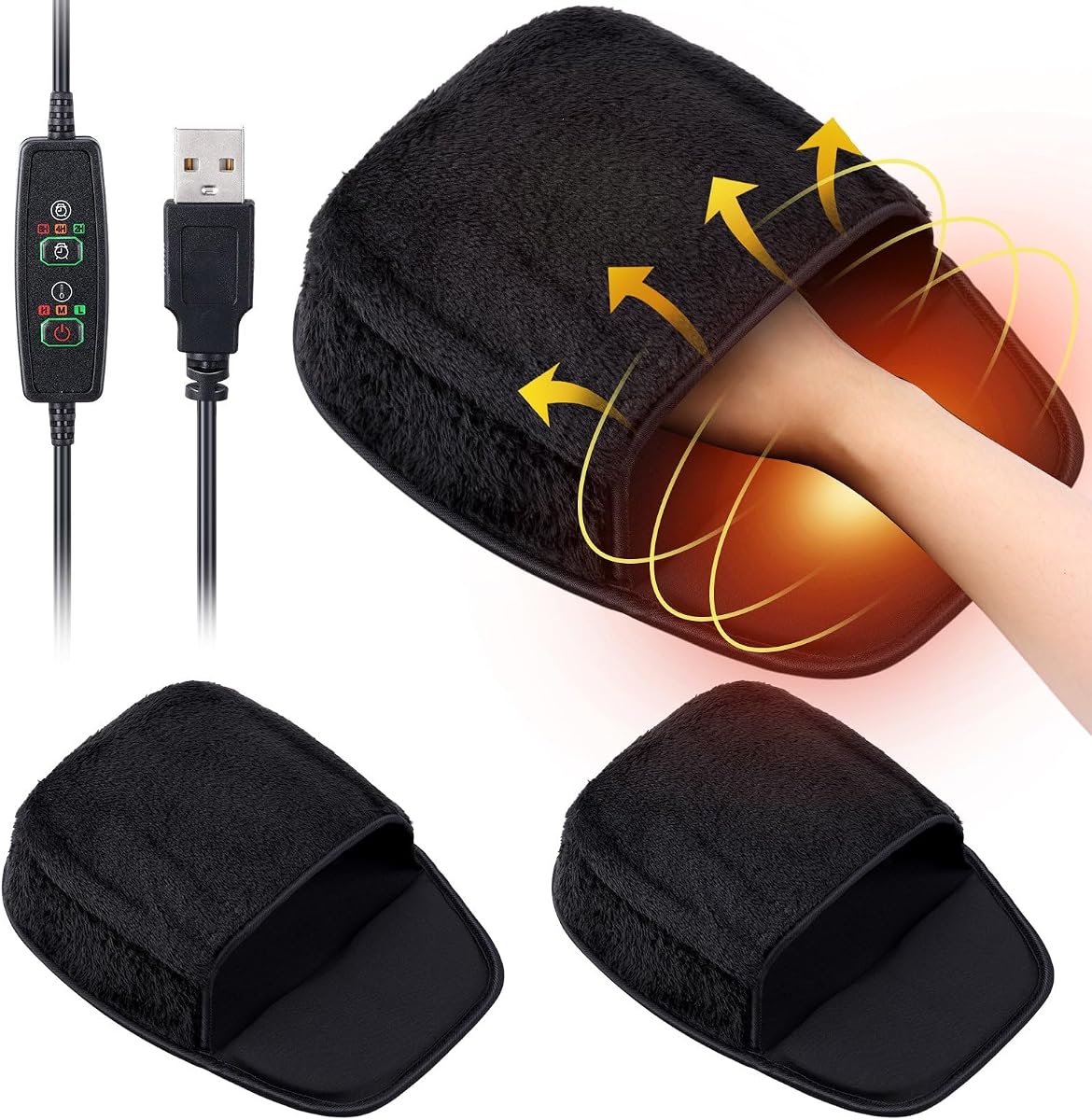

This model stands out for its enclosed cocoon design that wraps your entire hand in consistent warmth. It holds a solid rating among users who value comfort and safety during long work sessions. The three temperature settings allow precise control over the heat output.
We may earn a commission when you buy through this link, at no additional cost to you.
The PTC heating element distributes heat evenly across the neoprene shell, ensuring no cold spots interfere with your grip. Built-in auto shut-off timers provide peace of mind for overnight or extended use without constant monitoring.
While the enclosed design adds some weight compared to flat mats, it significantly improves heat retention. The removable heating element makes cleaning easier, though the unit still requires careful handling during washing.
This is an ideal choice for anyone who needs reliable warmth without sacrificing mouse control. Its thoughtful design makes it a practical gift for remote workers or gamers dealing with cold office environments.
Unlike flat pads, this cocoon design warms fingers and knuckles while keeping your palm cozy.
UKCA and CE certifications ensure safe operation with reliable auto shut-off timers for worry-free use.
We may earn a commission when you buy through this link, at no additional cost to you.
This desk warmer offers powerful heating at an accessible price point while maintaining whisper-quiet operation. Its ceramic heating technology ensures rapid warmth without disrupting your work focus or audio calls. Users appreciate the flexibility of three distinct heating modes.
We may earn a commission when you buy through this link, at no additional cost to you.
The wide angle air guide transfers heat efficiently across your hands without blocking mouse movement. Safety features like tipping auto shut-off and over-temperature protection make it reliable for unattended use during short breaks.
Though it requires a wall outlet rather than USB, the 110V plug ensures consistent power for optimal heating performance. The foldable design helps minimize desk clutter when not in use, which is a plus for shared workspaces.
It is a smart budget-friendly solution for those who need robust heat without breaking the bank. Perfect for home offices where wall power is readily available and noise levels matter.
Operates at less than 20db, ensuring it does not disturb your concentration or virtual meetings.
Includes tipping shut-off and over-temperature protection to prevent accidents during daily use.
We may earn a commission when you buy through this link, at no additional cost to you.
This premium pad expands warming across your entire desk surface, benefiting both hands and forearms. Its high-quality PU leather resists wear and stains while providing a smooth tracking surface for optical mice. The large dimensions make it ideal for full desk setups.
We may earn a commission when you buy through this link, at no additional cost to you.
Three distinct heat settings offer flexibility for different ambient temperatures and personal comfort needs. The 4-hour auto shut-off feature ensures energy efficiency and safety without requiring manual intervention after long sessions.
While not as portable as smaller hand warmers, its stability and coverage make it a permanent desk addition. The waterproof PVC backing protects your desk from moisture and spills during daily use.
Choose this if you want a comprehensive solution that warms your workspace rather than just your hands. It serves multiple functions as a writing pad and desk protector when heating is not needed.
At 31.5 inches wide, it keeps both your keyboard and mouse area comfortably warm.
Color-coded indicator lights show high, medium, and low settings clearly at a glance.
We may earn a commission when you buy through this link, at no additional cost to you.
This unit combines MCH technology with PTC ceramic heating to deliver reliable warmth in a compact form. Its foldable design makes it easy to store in a drawer when not in use, saving valuable desk space. One-button operation simplifies temperature adjustments.
We may earn a commission when you buy through this link, at no additional cost to you.
Safety is a priority here with tip-over and overheat protection built into the smart chip system. The anti-skid silicone base keeps the unit stable even during vigorous mouse movements or accidental bumps.
While it lacks some of the premium features of higher-end models, it performs consistently for daily office use. The noise level is exceptionally low, ensuring it does not interfere with audio calls or concentration.
It is a practical choice for users who need a balance of portability and safety. Ideal for students or professionals who move between desks or home offices frequently.
Foldable design allows for easy storage in drawers or bags when not needed.
Smart chip manages power reduction automatically to maintain constant safe temperatures.
We may earn a commission when you buy through this link, at no additional cost to you.
This two-pack offers exceptional value for households or offices with multiple workstations needing warmth. The plush material provides a soft surface that feels comfortable under the wrist during typing. Each unit includes a separate heater component for customizable use.
We may earn a commission when you buy through this link, at no additional cost to you.
The large internal space allows for flexible mouse movement without feeling constrained by the warming element. Users can choose to use the heater independently or combine it with the mouse pad as needed.
However, the lower average rating suggests some users have experienced durability issues with the heating element. Proper unplugging after use is recommended to extend the service life of these units.
Consider this if you need to outfit multiple desks on a tight budget. The soft material is appealing for those who prefer a plush feel over rigid heated surfaces.
Two units allow you to set up warmth at home and office simultaneously.
Heater and mouse pad are separate, giving you flexibility in how you warm your hands.
We may earn a commission when you buy through this link, at no additional cost to you.
These pads feature a thick plush surface that feels gentle on the skin during extended use. The detachable heating pad allows for hand washing to maintain hygiene over time. Each pack provides two units for versatile use across different rooms.
We may earn a commission when you buy through this link, at no additional cost to you.
The large internal space ensures you can move your mouse freely without hitting heating elements. This design prioritizes comfort alongside warmth, making it suitable for long gaming or work sessions.
Users should note that the heating element may have limited durability compared to more robust options. Following the recommendation to unplug after use helps maintain the unit's lifespan and safety.
This is a good option for those who prioritize softness and washability in their accessories. It serves well as a thoughtful gift for friends who spend long hours at computers.
Detachable heating pads make hand washing easy to keep the surface clean.
Skin-friendly plush material offers a soft touch that reduces friction during mouse use.
We may earn a commission when you buy through this link, at no additional cost to you.
This unit is designed for silent environments with ultra-quiet operation at 20dB. Upgraded double ball bearings reduce mechanical noise during heating cycles making it ideal for shared spaces. The white finish gives it a clean modern look for any desk.
We may earn a commission when you buy through this link, at no additional cost to you.
Three temperature settings are optimized for efficient heat distribution across your hands. Safety features include over-heating protection and energy-saving chip that adjusts power based on target temperature needs.
Portability is enhanced by a foldable leg design and lightweight frame of 14oz. The included stabilizers ensure it sits firmly on the desk during active mouse movement or typing sessions.
Select this if silence is a priority for your workflow or office environment. The warranty and service support provide extra confidence in the product's reliability.
With 20dB output, it is nearly inaudible even in quiet libraries or conference rooms.
Intelligent chip manages power usage to maintain comfort while reducing energy consumption.
We may earn a commission when you buy through this link, at no additional cost to you.
This model uses infrared heating technology for direct warmth with minimal electronic complexity. The manual control switch allows quick on and off operations without digital settings to navigate. Its compact design fits easily on smaller desks without obstructing other tools.
We may earn a commission when you buy through this link, at no additional cost to you.
Powered directly via USB, it eliminates the need for extra adapters or wall outlets. This simplicity appeals to users who want straightforward functionality without temperature curves or timers.
While it lacks advanced safety features found in other models it provides consistent basic warmth. Ensure your USB port supports sufficient power to maintain heating performance throughout the day.
Choose this for a no-fuss heating solution that gets the job done reliably. It is suitable for budget-conscious users who prefer manual interaction over smart features.
Infrared technology provides direct warming without heating the air around the pad.
Powered from your laptop or power bank for flexible placement anywhere.
We may earn a commission when you buy through this link, at no additional cost to you.
This pack offers customizable warmth with three temperature modes and adjustable auto-off timers. The built-in wrist cushion supports the natural curve of your wrist to reduce strain during typing. A non-slip base keeps the pad secure on glass or wood surfaces.
We may earn a commission when you buy through this link, at no additional cost to you.
Users can set timers for 2, 4, or 8 hours to prevent overheating or power waste. This level of control is rare at this price point and adds significant value for daily usage scenarios.
While the overall rating is lower than premium models the feature set remains competitive for the price. Proper care and unplugging help maintain the reliability of the heating elements over time.
It is a strong contender for users who value safety timers and wrist support. Ideal for students or office workers who want consistent warmth without constant monitoring.
Built-in cushion reduces strain during long typing sessions improving ergonomic comfort.
Auto-off timers prevent power waste and reduce risks of overheating during breaks.
We may earn a commission when you buy through this link, at no additional cost to you.
This large desk pad covers the full width of most workstations providing comprehensive protection and warmth. Its premium PU leather construction resists scratches and stains while maintaining a sleek professional appearance. Three temperature settings allow adaptation to various cold weather needs.
We may earn a commission when you buy through this link, at no additional cost to you.
The non-slip leather bottom ensures stability during intense gaming or typing sessions. It functions as a mouse pad keyboard pad, and even an under-desk foot warmer for maximum versatility.
Since there is no rating available yet users may prefer to review customer feedback before purchasing. The build quality and materials suggest durability comparable to established market leaders.
Select this for a comprehensive desk solution that combines warmth with aesthetic appeal. It is particularly useful for those who want a single accessory to protect and warm their entire workspace.
Large surface protects your desk from scratches and spills while providing heat.
Can be used as a writing pad mouse pad, or foot warmer depending on placement.
We may earn a commission when you buy through this link, at no additional cost to you.
Choosing the right hand warmer involves considering heating speed, safety, and form factor. This guide outlines the critical factors to evaluate before purchasing.
Most models use PTC ceramic or infrared heating elements that offer rapid warmth and energy efficiency. PTC elements are generally safer as they self-regulate temperature to prevent overheating. Look for descriptions mentioning fast heat-up times and consistent output.
Prioritize PTC or MCH technology for reliable and safe long-term performance in daily use.
Look for adjustable temperature settings to adapt to different weather conditions or personal comfort levels. Some models offer three distinct levels while others cycle between on and off states for warmth. This flexibility ensures you never feel too hot or too cold during use.
Multiple temperature settings provide better customization for varying environments and needs.
Ensure the product has relevant safety certifications like UL FCC UKCA or CE marking. These indicate compliance with electrical safety standards and risk reduction features like auto shut-off. Never use devices lacking proper certification in your workspace.
Always verify safety certifications to ensure safe electrical operation in your home office.
Hand warmers may be powered via USB or 110V outlets depending on the model. USB options offer portability while wall outlets provide consistent power for high-wattage heaters. Check your desk setup to determine which source is more accessible for you.
Match the power source to your desk setup for convenient daily usage.
A good design should support your wrist in a neutral position to reduce strain during typing. Some models include built-in wrist rests or cushioning for enhanced comfort over long periods. Consider how the shape aligns with your natural hand posture.
Ergonomic features reduce fatigue and improve comfort during extended sessions.
Quiet operation is essential if you work in shared spaces or during meetings. Ceramic heating elements often run silently but fans or internal mechanics may add noise. Check decibel ratings if noise is a concern for your workflow.
Choose models with low noise ratings for distraction-free work environments.
Foldable designs allow you to store the warmer in a drawer when not in use. Lightweight units are better for those who move between home and office frequently. A compact footprint ensures it does not clutter your workspace unnecessarily.
Opt for foldable or lightweight units if you need to move or store it often.
Surfaces made of PU leather or neoprene are durable and easy to wipe clean. Some models feature removable heating pads for hand washing to maintain hygiene. Check if the material resists stains and odors during daily use.
Select materials that are easy to clean and resist wear for long-term hygiene.
Connect the device to a compatible power source and turn it on using the provided switch. Most units heat up within minutes so allow a short time for the surface to reach the desired temperature.
Adjust the temperature setting based on your comfort and the ambient room temperature. Start at a lower setting and increase if needed to avoid excessive heat buildup during use.
Clean the surface regularly with a damp cloth and avoid immersing the electronic parts in water. When finished, unplug the device and allow it to cool completely before storing it away.
Yes, most models are designed to be compatible with any standard USB wireless or Bluetooth mouse. The heating element is integrated into the base or cover and does not interfere with the optical sensor or buttons of your device.
Many modern models include auto shut-off timers that turn the heater off after a set period such as 2 or 4 hours. While this adds a layer of safety it is generally recommended to unplug the device when leaving for extended periods.
Power consumption varies typically ranging from 5W for USB units to 100W for plug-in models. USB versions are quite efficient and can even be powered by a power bank. while higher wattage units provide more rapid heating.
It depends on the model. Some have removable heating elements that allow the fabric to be hand washed but others require spot cleaning only. Always check the manufacturer instructions before attempting any cleaning process.
Yes, once the heating is turned off they function like standard mouse pads with a smooth surface. Many feature non-slip bases to ensure stability even when the heating element is not active.
Manufacturers design these pads to stay within safe touch temperatures. The surface heat is intended for your hands and skin so you should not experience burns if used as directed.
We have reviewed ten distinct options ranging from portable USB units to large desk mats. The top picks offer excellent balances of warmth safety and comfort for various work environments.
Consider your primary need such as portability or desk coverage when making your final selection. Features like auto shut-off and wrist support add significant value to daily usage.
Prices and availability may change so please check the current listings before purchasing. We hope this guide helps you stay warm and productive through the winter months.