
HP Chromebook 14
4.3Editor score
Long battery life
Lightweight design
Chrome OS security
Finding the right laptop for back to school can be a daunting task given the wide variety of options available on the market today. Students need devices that can handle everything from writing papers to attending virtual classes without breaking the bank or weighing down their backpacks.
We have carefully selected and analyzed ten distinct models that cater to different student needs and budgets. Our comparison focuses on essential factors such as processing power memory capacity display quality and overall battery endurance to ensure you make an informed decision.
Each pick in this list highlights specific strengths whether you prioritize lightweight design extensive storage or advanced connectivity features. Please note that availability and specific bundle contents may change so verify the latest details before purchasing your new device.
4.3Editor score

4.7Editor score

4.4Editor score
As an Amazon Associate we earn from qualifying purchases.
This side-by-side comparison helps you quickly identify which model fits your specific academic requirements and budget constraints without unnecessary confusion or information overload.


This model stands out as a robust option for students who need ample room for multitasking and file storage without compromising on essential performance features. The inclusion of 16GB RAM ensures that switching between research tabs and document editors remains smooth and responsive throughout long study sessions.
We may earn a commission when you buy through this link, at no additional cost to you.
Beyond the hardware specs the package includes valuable additions like a dedicated external hard drive and microfiber cloth which are often overlooked by budget-conscious shoppers. These extras save you the hassle of buying separate accessories and provide immediate utility for organizing course materials and protecting your investment.
While the display resolution is standard for this price range it still delivers clear visuals for reading texts and watching educational videos. The slightly larger chassis adds a bit of weight but provides a more comfortable typing experience for extended periods of essay writing or coding.
If you need a reliable machine for general academic tasks and want extra storage space right out of the box this laptop is an excellent choice. It balances performance and practicality well making it suitable for high school or college students who prioritize storage capacity.
The 16GB RAM allows you to run multiple applications simultaneously without significant slowdowns during peak usage times.
Accessories included in the box provide immediate convenience for setup and ongoing maintenance of your device.
We may earn a commission when you buy through this link, at no additional cost to you.
Designed for efficiency and portability this Chromebook offers a streamlined computing experience ideal for students who rely heavily on web-based tools and cloud storage. Its lightweight build makes it easy to carry between classes while the battery easily lasts through a full day of lectures and study groups.
We may earn a commission when you buy through this link, at no additional cost to you.
The device integrates seamlessly with the Google ecosystem allowing you to access a wide range of apps directly from the Play Store for productivity and entertainment. Security updates are handled automatically in the background ensuring your personal data remains protected without requiring manual intervention from you.
While local storage is limited you can expand capacity through cloud services or external drives which works well for modern cloud-first workflows. The main trade-off is dependency on an internet connection for many features so offline access is somewhat restricted compared to traditional Windows laptops.
For students focused on writing papers conducting research and streaming content this model provides everything you need at an accessible price point. It is particularly suited for those who do not require heavy local software installations or extensive offline file management capabilities.
A single charge supports prolonged usage periods so you can work anywhere without needing to hunt for power outlets.
Chrome OS reduces startup times and background processes keeping the system responsive even with modest hardware specs.
We may earn a commission when you buy through this link, at no additional cost to you.
This edition specifically targets academic users with a package that includes substantial cloud storage alongside solid local performance for daily tasks. The DDR5 RAM provides faster data transfer rates compared to previous generations which helps keep the system responsive during web browsing and document editing.
We may earn a commission when you buy through this link, at no additional cost to you.
The anti-glare coating on the display ensures comfortable viewing even under bright classroom lights or near windows in a dorm room. Combined with a narrow bezel design you get a more immersive screen experience without increasing the overall footprint of the laptop in your backpack.
While the local SSD size is typical for entry-level models the included cloud subscription offers plenty of space for backups and sharing large files with peers. You may need to manage local files more actively if you install many large applications but cloud integration is seamless for most students.
Choosing this laptop means prioritizing mobility and essential productivity features over raw power for intensive creative work. It is an ideal match for general coursework where reliable connectivity and a lightweight chassis are more important than maximum graphical performance.
DDR5 RAM enhances overall system efficiency providing quicker access to active data and smoother multitasking experiences.
Large cloud storage allowances let you keep projects accessible across devices without filling up the internal drive quickly.
We may earn a commission when you buy through this link, at no additional cost to you.
This model brings advanced features like Copilot AI support to the student market helping you draft essays or analyze data more efficiently with intelligent assistance. The inclusion of Windows 11 Pro adds enterprise-grade security tools that are beneficial for protecting sensitive research or personal information on campus networks.
We may earn a commission when you buy through this link, at no additional cost to you.
Storage is handled through a combination of fast internal UFS storage and a portable external drive giving you flexibility for both speed and capacity needs. This setup allows your operating system to run smoothly while keeping larger media files or project archives safely on the included peripheral device.
Connectivity options include modern standards like Wi-Fi 6 for faster downloads and streaming without lag during online classes. The bundle also provides useful accessories like earbuds and a mouse which further reduce the initial setup costs for new users arriving at school.
If you are interested in leveraging AI tools for productivity and need robust security features this laptop offers a forward-looking platform. It works well for business students or anyone who needs a professional-grade OS with extra storage flexibility out of the box.
Integrated Copilot features help automate routine tasks and enhance creativity during writing or data organization sessions.
Windows 11 Pro provides stronger encryption and device management controls for peace of mind in public environments.
We may earn a commission when you buy through this link, at no additional cost to you.
This premium option focuses on usability with features like a dedicated Copilot key that allows instant access to AI tools without interrupting your workflow. The natural silver keyboard deck and willow green top cover offer a sophisticated look that stands out from typical plastic laptops found in student dorms.
We may earn a commission when you buy through this link, at no additional cost to you.
Audio performance is enhanced with dual speakers and AI noise reduction making video calls clearer for remote lectures or group projects. The microphone array works well to isolate your voice from background noise ensuring you sound professional during online meetings or presentations.
Battery life is strong enough to get you through most of the day on a single charge with flexible usage modes for video playback or mixed tasks. While internal storage is limited the included Office 365 subscription ensures you have all necessary tools for creating documents and managing projects immediately.
Choose this laptop if you value design aesthetics and convenient AI integration over maximum storage capacity. It is a refined choice for students who need a polished device for both academic work and professional networking events.
A dedicated hardware key launches your productivity assistant instantly for quick help with research or writing tasks.
Advanced audio technologies ensure your voice is heard clearly even in noisy environments like cafes or libraries.
We may earn a commission when you buy through this link, at no additional cost to you.
This configuration distinguishes itself by offering 8GB of RAM which is a significant advantage for multitasking compared to 4GB models. It allows you to keep more applications open simultaneously such as a browser and word processor without experiencing slowdowns during heavy use periods.
We may earn a commission when you buy through this link, at no additional cost to you.
The one-year Office 365 subscription ensures you have access to the full suite of productivity apps right away without additional purchase costs. This is particularly helpful for students who need advanced features in Excel or Word for complex projects and assignments throughout the semester.
Connectivity includes USB-C and HDMI ports making it easy to connect to projectors or external monitors for presentations. The Wi-Fi 6 support provides faster and more stable internet connections which is crucial for downloading large research files or attending video classes.
If your typical workload involves running several apps at once this model provides a smoother experience than base configurations. It is a solid pick for students who need a bit more headroom for memory-intensive tasks without moving to a much more expensive system.
Eight gigabytes of RAM significantly improves the ability to run multiple programs smoothly without frequent reloading.
Included Office subscription grants full access to essential tools for academic writing and data analysis tasks.
We may earn a commission when you buy through this link, at no additional cost to you.
Lightweight is the key advantage here making this device exceptionally easy to carry around campus all day without causing strain on your shoulders. The slim profile fits easily into even the smallest laptop compartments in a bag leaving plenty of room for books and other supplies.
We may earn a commission when you buy through this link, at no additional cost to you.
Security is managed through an H1 secure microcontroller which provides enhanced protection for your data during online activities. This extra layer of security is beneficial for students who frequently access sensitive accounts or conduct research on public Wi-Fi networks.
While the processor is designed for light tasks like web browsing and document editing it may struggle with heavier multitasking or media production. However the micro-edge display maximizes screen real estate giving you a wider view for reading documents or watching lectures on a compact screen.
This model is ideal for students who prioritize ease of transport and security over raw processing power. It serves well for note-taking and reading where a simple reliable device is all that is required for academic success.
The ultra-light design ensures that carrying the laptop to different lecture halls becomes a stress-free daily habit.
Hardware-based security protects personal information from unauthorized access when using public networks around campus.
We may earn a commission when you buy through this link, at no additional cost to you.
Offering a balance between cost and performance this student laptop provides a BrightView screen that delivers crisp visuals for online lectures and presentations. The 128GB UFS storage allows for faster boot times and application launches compared to older hard drive technologies found in similar budget models.
We may earn a commission when you buy through this link, at no additional cost to you.
With a year of Office 365 included you get immediate access to essential tools for writing papers and creating presentations without extra setup costs. The fast charger ensures that you can quickly top up the battery during short breaks between classes to keep your productivity going all day.
The quad-core processor handles everyday tasks efficiently making it suitable for web browsing and media consumption. While it is not designed for high-end gaming or video editing it covers all the basics required for standard academic coursework effectively and reliably.
For students on a strict budget this model offers the necessary features to succeed in classes without unnecessary extra costs. It is a practical choice for those who need a dependable device for writing and research that fits comfortably within financial constraints.
The screen technology enhances contrast and clarity making text and images easier to read during long study sessions.
A capable power adapter recharges the battery quickly so you can minimize downtime during busy academic schedules.
We may earn a commission when you buy through this link, at no additional cost to you.
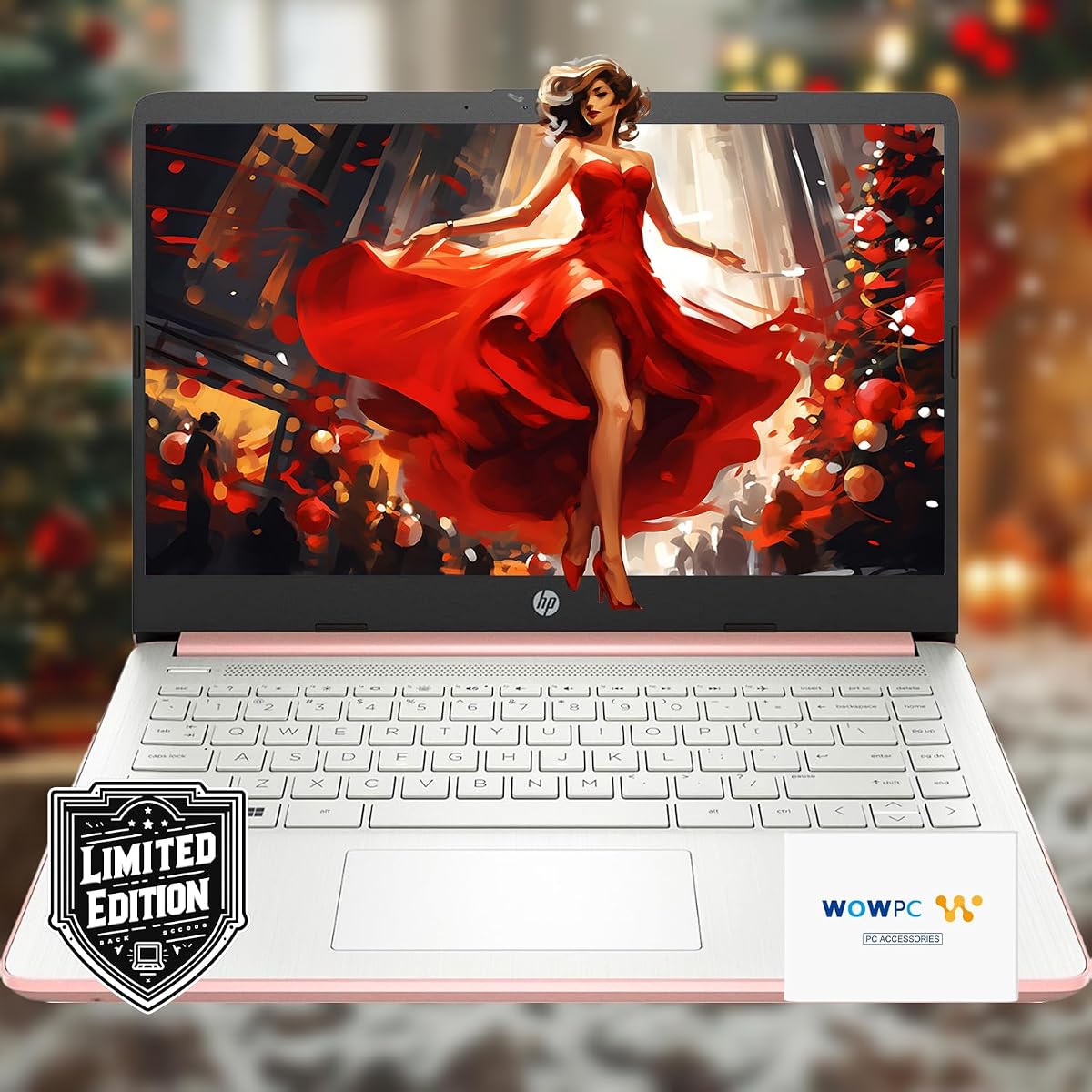
This limited edition package is designed for students who need an immense amount of space for both physical and digital media. Combining internal external and cloud storage you get a total of 1600GB which is rare at this price point and supports extensive project archives.
We may earn a commission when you buy through this link, at no additional cost to you.
The inclusion of 16GB RAM ensures that the system remains responsive even when managing large files or running memory-intensive software. This makes it a great option for majors that require significant data processing or multimedia work beyond basic text documents and spreadsheets.
Aesthetic appeal is also considered with a rose gold finish that offers a unique look compared to standard grey or black laptops. The bundle includes essential accessories like a microfiber cloth and hotkey stickers to streamline your workflow and keep the device looking clean.
If your academic focus requires storing vast amounts of data and you need strong multitasking power this model covers those needs well. It is particularly valuable for students who want a single device that handles both current work and long-term storage needs.
Total storage includes local external and cloud options providing virtually limitless space for photos and project files.
A distinctive color finish sets this laptop apart allowing it to match your personal style and stand out in class.
We may earn a commission when you buy through this link, at no additional cost to you.
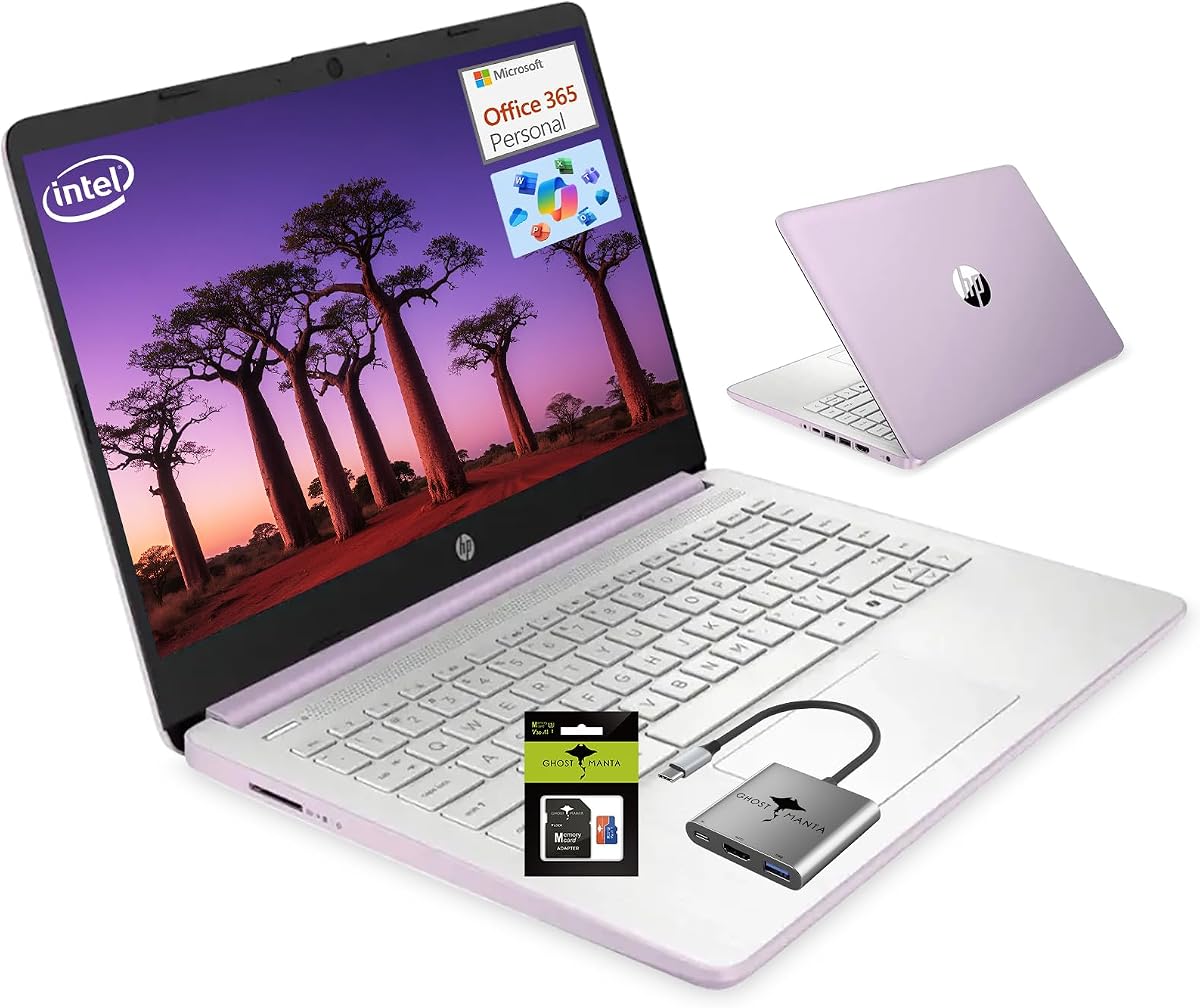
This model offers a flexible storage solution by pairing internal UFS memory with an SD card slot allowing you to expand capacity as needed. With 8GB of RAM you can manage daily academic tasks comfortably while keeping multiple applications open without noticeable lag.
We may earn a commission when you buy through this link, at no additional cost to you.
The Honey Lavender color gives this device a cheerful and modern look that feels fresh and inviting for a new academic year. It is a thoughtful design choice that makes the laptop feel more personal and distinct from generic silver or black options available in stores.
Performance is optimized for efficiency making it well-suited for students who focus on text work and research. The included Office 365 subscription ensures you have the software tools you need for assignments right out of the box without needing to install anything first.
Choose this laptop if you want a device that balances color aesthetics with practical performance features. It is a smart choice for those who need a bit more memory and storage flexibility than the base models offer.
The ability to add an SD card means you can increase your storage capacity easily as your file collection grows.
A vibrant color option adds a touch of personality to your daily tech setup and boosts your confidence in using it.
We may earn a commission when you buy through this link, at no additional cost to you.
Selecting the right laptop involves balancing your academic needs with your budget constraints and daily lifestyle requirements. We break down the key factors to help you make a confident decision for the upcoming semester.
The processor is the engine of your laptop and determines how smoothly it handles tasks like browsing the web or running multiple applications. For general student work a quad-core processor provides enough power to manage word processing and web research without lag.
Prioritize at least a mid-range CPU to ensure your device remains responsive throughout its lifespan. A capable processor prevents frustration during video calls or when managing multiple browser tabs for research.
RAM acts as the short-term memory for your system and larger amounts allow you to switch between programs more easily. Eight gigabytes is a recommended standard for students who need to keep many tabs open while writing papers.
Look for models with at least 8GB of RAM to avoid slowdowns during multitasking. If your budget allows this upgrade significantly improves the overall responsiveness of the laptop.
Storage type and size affect how quickly your system boots and how many files you can keep locally. Solid state drives are faster and more reliable than traditional hard drives for storing your documents and media.
Aim for a drive that offers at least 128GB of internal space or the ability to expand via SD cards or external drives. This flexibility ensures you have room for your projects without running out of space too quickly.
A clear screen with anti-glare coating helps reduce eye strain during long reading or writing sessions. Look for a display size between 13 and 15 inches to balance visibility with portability.
Choose a screen with at least 1366 x 768 resolution to ensure text remains sharp and readable. High brightness and good color accuracy are also beneficial for outdoor study sessions or creative work.
Long battery life is essential for students who spend most of their day moving between classes or studying in different locations. A device that lasts at least 8 to 10 hours on a single charge is ideal for full-day use.
Check user reviews for real-world battery performance as marketing claims can sometimes vary. A long-lasting battery ensures you do not need to carry a charger everywhere you go.
Carrying a heavy laptop can become a burden over time especially if you have other books or supplies to transport. A lightweight model under 3.5 pounds makes commuting across campus much easier and more comfortable.
Consider the physical dimensions and thickness as well when choosing a bag or backpack. A slim profile fits into tight spaces and reduces overall bulk when carrying your device.
The operating system you choose dictates how you interact with your computer and the apps you can run. Windows offers broader compatibility with academic software while Chrome OS simplifies the experience for web-centric tasks.
Ensure the laptop comes with any necessary software subscriptions like Office 365 included to save on extra costs. This inclusion helps you start working immediately without waiting for setup or installation.
Ports like USB-C and HDMI are vital for connecting to external displays or transferring files quickly to other devices. Wi-Fi 6 support ensures you have fast and stable internet connections in crowded areas like libraries or dorms.
Check that the laptop has the necessary connectors for your specific needs before purchasing. Having the right ports avoids the need for extra adapters that can be easily lost or forgotten.
To maintain optimal performance keep your workspace clean and free from dust or food particles that could damage internal components. Use a microfiber cloth regularly to wipe the screen and keyboard to prevent smudges and dirt buildup over time.
Avoid placing heavy objects on your closed laptop in your bag to prevent screen damage or hinge strain. Always use a protective sleeve or case when transporting the device to shield it from accidental bumps or drops during travel.
Manage your battery health by avoiding constant charging once the device reaches full capacity and by not leaving it in extreme temperatures. A software updates can help protect against security threats and ensure you have the latest features for your academic work.
For most students 8GB of RAM is the sweet spot that balances cost and performance. It allows for smooth multitasking between research and writing applications. If you plan to do heavy video editing or gaming consider moving up to 16GB.
Chromebooks are excellent for students who primarily use web-based tools and cloud storage. They offer great battery life and security. However check if your courses require specific Windows-only software before committing to a Chromebook.
SSD storage is highly recommended because it significantly speeds up boot times and application loading. This makes a laptop feel much more responsive compared to older hard drive options. Aim for at least 128GB if possible.
Some models in this selection include external drives as part of a bundle package. This adds value by providing immediate extra storage without an extra purchase. Always check the specific bundle contents before buying.
Windows is more versatile for running a wide range of academic software. Chrome OS is simpler and more secure for basic web tasks. The best choice depends on your specific coursework requirements and comfort level.
Aim for a laptop that offers at least 8 to 10 hours of battery life. This ensures you can use it throughout the day on campus without needing to find a power outlet constantly. Real-world usage may vary slightly.
Many of the selected models come with a one-year subscription to Microsoft 365. This provides access to Word Excel and PowerPoint which are essential for academic assignments. Verify this before purchasing to save on extra costs.
Most modern thin laptops have soldered components that cannot be upgraded after purchase. This makes choosing the right RAM and storage upfront critical. If upgrades are important look for models with expandable memory slots.
This guide has presented ten distinct options ranging from budget-friendly Chromebooks to high-performance Windows laptops with extensive storage. Each pick offers a unique balance of features suited to different academic needs and financial constraints.
Prioritize portability and battery life if you are constantly moving between classes or studying in various locations. For those needing more power for creative projects look for models with higher RAM and faster processors to handle demanding tasks.
Remember that availability and specific bundle contents can change so always verify the latest details on the retailer website before finalizing your purchase. This ensures you get exactly what you need for a successful academic year.